Securely wipes browser traces and system history to protect your privacy
Securely wipes browser traces and system history to protect your privacy
Vote (6 votes)
Program license Trial version
Developer Acesoft
Version 8.65
Works under Windows
Vote
(6 votes)
Developer
Acesoft
Works under
Windows
Program license
Trial version
Version
8.65
Pros
- Effective at removing a wide range of privacy traces
- Secure file shredding with customizable overwrite settings
- Plugin support for cleaning third-party apps
- Stealth mode and emergency boss key enhance privacy
- User-friendly and fast
Cons
- Scheduling options are somewhat basic
- Limited advanced features compared to some privacy suites
- Plugin creation may require technical knowledge
Protect your privacy by erasing digital activity traces on Windows.
Comprehensive Privacy Protection
Tracks Eraser is designed to provide users with robust privacy control by erasing evidence of digital activity from Windows computers. The software targets a wide range of potential privacy leaks, from web browsing histories to remnants left by commonly used Windows features.
Thorough Cleanup Across Browsers and Applications
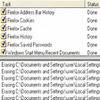
Tracks Eraser supports all major browsers, including Chrome, Firefox, Internet Explorer, and Opera. It can clear browsing history, cookies, cache, and download lists, significantly reducing the risk of personal data exposure. The program also handles privacy artifacts left behind in popular applications such as media players and email clients, including support for clearing Outlook Express records.
Advanced File Shredding
To ensure that deleted data is unrecoverable, Tracks Eraser includes a secure file shredder. Users can specify the number of overwrites, making sensitive documents virtually impossible to restore using data recovery tools. This feature is especially valuable for individuals who handle confidential information.
Customizable Plugin System
Tracks Eraser offers a plugin mechanism that allows users to clean up traces from numerous third-party applications. The library of plugins continues to grow, and users can even create custom plugins to target specific software. This ensures adaptability as the range of commonly used programs evolves.
Stealth Mode and Emergency Boss Key
Privacy features include a discreet stealth mode, which lets Tracks Eraser operate without drawing attention. Additionally, the boss key provides an instant method to hide the application and any open browser windows, making it useful in office environments or shared workspaces.
Easy Scheduling and Automation
The application supports scheduled cleanups, enabling automatic operation at user-defined intervals. While the scheduling is straightforward to configure, it may lack some of the advanced options found in more specialized automation tools.
User Interface and Performance
The interface is accessible, focusing on usability for beginners as well as more experienced users. Key functions are clearly labeled, and essential controls are never more than a few clicks away. Performance is efficient, with scans and cleanups completing quickly even on older systems.
Updates and Compatibility
Tracks Eraser remains compatible with the most recent Windows versions, ensuring smooth operation on Windows 7 and later. Support for newer browser versions is maintained, though users should verify compatibility with the latest software releases if any issues arise.
Pros
- Effective at removing a wide range of privacy traces
- Secure file shredding with customizable overwrite settings
- Plugin support for cleaning third-party apps
- Stealth mode and emergency boss key enhance privacy
- User-friendly and fast
Cons
- Scheduling options are somewhat basic
- Limited advanced features compared to some privacy suites
- Plugin creation may require technical knowledge